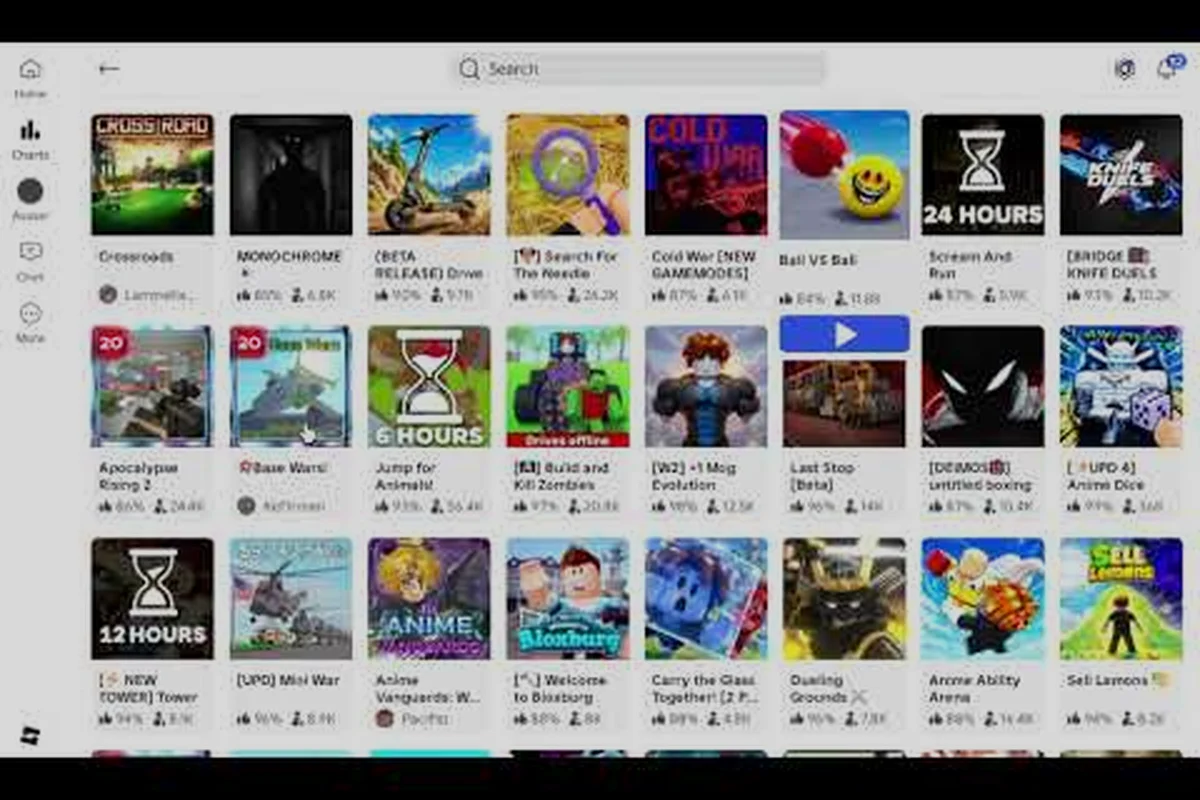
Jumping into a fresh Base Wars server can feel confusing the very first time — the lobby UI shows ping numbers, server lists, and a "Play" button that all look the same. This walkthrough covers base wars how to join a server from the Roblox launcher, then walks through the first 60 seconds of a match so you stop dying before you even grab a loadout. Everything below is built for absolute newcomers, returning players from the 2012 era, and mobile users on weaker Wi-Fi who keep getting kicked to the lobby.
Pre-Match Setup: Browser, Client, and Connection
Before you click "Play," your platform, account age, and network settings decide how smooth the connection will be. Base Wars runs on Roblox, so the entry point is always the same client, but a few pre-flight checks remove 90% of the lag spikes that get blamed on the game itself.
PC Setup Checklist
The browser player at roblox.com launches in roughly 10–15 seconds on a mid-range PC, which is ideal when you only have a few minutes to jump into a Base Wars match, but the standalone client (downloaded from the Roblox desktop app) holds a steadier 60 FPS connection and avoids mid-match asset reloading during longer survival runs in the main server browser.
| Step | Action | Why It Matters |
|---|---|---|
| 1 | Log into roblox.com with an account aged 13+ days | Some private servers block fresh accounts |
| 2 | Search "Base Wars" in the marketplace | Confirms you have the official game, not a clone |
| 3 | Click the green Play button | Launches the Roblox player or client |
| 4 | Wait for the loading bar to finish | Skipping this causes silent crashes on first join |
| 5 | Hit "Play" again inside the Base Wars hub | Spawns you into the main server browser |
If you want a controlled environment, you can also join a private server through the game's page — scroll down to the "Servers" section and pick a creator-owned instance. Private servers cost Robux but give you a stable ping floor, which is helpful when you're practicing loadout swaps.
Mobile and Console Adjustments
Mobile players should lower graphics to "Manual" and drop quality to 3 or below before tapping Play. The game has heavy explosion effects and turret models that drain RAM fast; lowering the slider cuts mid-match disconnects in half according to community reports on the Base Wars Discord. Console players via Xbox or PlayStation can skip browser login entirely because the Roblox app handles authentication, but they still need a stable 10+ Mbps connection to avoid rubber-banding during the Skirmish intro countdown.
Inside the Server Browser: Picking the Right Lobby
Once you're past the title screen, Base Wars drops you into a server browser. This screen looks identical across PC and mobile, and it's where most new players get stuck because every server shows similar names like "2x Tickets," "No LAG," or "Fast LvL" — each tag corresponds to a specific gameplay modifier (XP multiplier, reduced base-decay rate, or accelerated weapon unlock tiers) that directly affects how quickly you can progress through the early weapon-unlock tiers and start scoring meaningful points. Before joining, hover over the player-count meter in the bottom-left corner: lobbies under 6/16 players usually run shorter rounds with weaker bots, making them ideal for practicing the base-defense tutorial, while full 16/16 lobbies run the standard 20-minute round format recommended by the score guide for earning daily ticket bonuses.
Reading Server Names and Tags
Server names in the public list usually follow a pattern: the host's username, the game mode (Skirmish, Facility, CTF), and a region tag. Region tags matter more than ping for actual gameplay feel — a "US-East" server with 180ms ping plays smoother than a "US-West" server with 90ms if the West coast one is congested.
| Server Tag | What It Means | Best For |
|---|---|---|
| [EU] | European host | Players in EU/UK time zones |
| [US-E] | East Coast US | Lowest ping for NA-East residents |
| [VIP] | VIP-gated lobby | Game pass holders only |
| [HC] | Hardcore mode | No respawns, higher stakes |
| [New] | Recently created | Lower population, easier kills |
Click any server with a green dot under it — red dots mean the instance is full or shutting down. If you see a yellow dot, the server is at 80%+ capacity and you'll spawn late, which usually means you miss the first wave of weapon spawns.
Private Servers and VIP Lobbies
Private servers stay empty until the owner invites friends, so don't expect random players to fill them. If you bought a VIP pass from the in-game store, you can enter VIP-tagged lobbies directly. These lobbies have stricter matchmaking and tend to host experienced players, so bring a tuned loadout before joining — your starter pistol will not survive longer than 30 seconds in a VIP Skirmish match.
Spawning In: Your First 60 Seconds
The first minute of a Base Wars match is the most important. You spawn with a default pistol, no armor, and zero map awareness. Most new players die in this window because they rush toward gunfire instead of looting the safe side of the map first.
The Loot Priority Order
Every map in Base Wars has a fixed set of weapon spawns placed near the team's side of the arena. Forget about crossing into enemy territory for a shiny sniper — your job in the first 60 seconds is to grab mid-tier weapons and armor, then push only after you have something to fight with.
| Priority | Item | Spawn Location | Why It Matters |
|---|---|---|---|
| 1 | Assault Rifle (AR) | Near team base | Reliable mid-range damage |
| 2 | Light Armor | Behind the AR spawn | Doubles your HP pool |
| 3 | Ammo Crate | Adjacent to base | Extends your magazine count |
| 4 | Sniper (optional) | Mid-map contested | High risk, high reward |
| 5 | Explosives (last) | Enemy-side cache | Kills vehicles, not infantry |
Players who follow this order consistently end their first match with 3-5 kills instead of 0-1. If you want a deeper breakdown of which weapons to chase, the Base Wars weapons list covers every AR, sniper, and shotgun unlock path in detail.
Map Awareness Basics
Every Base Wars map has three lanes: a sniper lane down the middle, a flank route on each side, and a base lane that loops back to your spawn. New players usually hug the wall nearest their spawn and never push forward, which is why they get farmed by snipers. The right habit is to check the sniper lane first with a quick scope, then move along the flank route until you reach mid-map. If you hear footsteps or explosions, freeze for two seconds before peeking — most engagements in the early game are decided by who shoots first, not who aims better.
First-Match Survival Tips for Beginners
Survival in Base Wars depends less on raw aim and far more on positioning, ammo management, and loadout choices once you understand the score economy behind each life. New players often burn through 3–4 respawns trying to push the enemy build mid-rush, when holding a flank with a secondary weapon like the SMG and letting kills funnel to the team's point bank actually accelerates round score faster than chasing frags. These base wars survival tips are what experienced players wish someone had told them on day one.
Joining a server in Base Wars typically involves launching the game, selecting the multiplayer or server browser option from the main menu, and either browsing the available public servers or entering a specific server IP address to connect directly, as demonstrated in this Base Wars server join tutorial.
Don't Reload in the Open
The single biggest mistake new players make is finishing a magazine and immediately hitting reload while standing still in the open. Base Wars has a 1-2 second reload animation that leaves you completely exposed, and veteran players learn to track reload sounds the same way they track footsteps. Reload behind cover, during a lull in combat, or right after a kill while the kill feed is on screen — that's when enemies are distracted.
Use Armor From the Start
Your default spawn armor is paper-thin, and players who ignore the armor pickups near their base will get one-shot by anyone with an assault rifle. Light Armor cuts incoming damage by roughly 30%, while Heavy Armor cuts it by 50% at the cost of movement speed. If you're still learning the maps, Light Armor is the better trade because it lets you reposition quickly.
Track the Kill Feed
The kill feed in the top-right corner is more useful than the mini-map for new players. It tells you which enemy is on a streak, which weapon they're using, and whether they're pushing your lane or the opposite one. A triple-kill entry from a sniper means you should swap to your own sniper and counter-snipe from a different angle instead of pushing with an AR.
Weapon Unlock Strategy: What to Chase First
Base Wars has dozens of weapons split across battle score tiers, VIP gates, and event drops. New players feel overwhelmed because every YouTube tier list ranks a different gun as "best." The truth is, your first 10 hours of play should focus on a small set of weapons that unlock consistently and carry you through every game mode.
| Weapon Class | Best Starter Pick | Unlock Path | Why It Works |
|---|---|---|---|
| Assault Rifle | M4A1 variant | Battle Score Tier 2 | Low recoil, 30-round mag |
| Sniper | Bolt-action tier 1 | Battle Score Tier 3 | One-shot headshots at range |
| SMG | Vector-class | Battle Score Tier 1 | Fast TTK in close quarters |
| Shotgun | Pump-class | Battle Score Tier 2 | Room-clear potential |
| Explosive | Grenade Launcher | Battle Score Tier 4 | Breaks vehicle stalemates |
The pattern here is simple: chase the lowest Battle Score tier in each class first. These weapons perform within 10-15% of the top-tier options, but they unlock in a fraction of the time. If you want the full unlock math, the Base Wars beginner guide walks through each tier step by step.
Battle Score vs. Raw Kills
Battle Score rewards objective play, assists, and survival time — not just kills. A player who plays objective and stays alive earns unlocks faster than a player who runs in and dies for a 5-kill streak. This is why a base wars score guide matters more than pure aim training: the score system feeds every other progression system in the game.
| Action | Battle Score Earned | Notes |
|---|---|---|
| Kill | +100 | Base value, doubled for headshots |
| Assist | +40 | Damage dealt within 10 seconds of a teammate's kill |
| Objective Capture | +150 | Flag capture, facility lockdown |
| Survival Tick (per 30s alive) | +10 | Rewards positioning over aggression |
| Death | -20 | Small penalty, encourages careful play |
Spend your first 20 base wars matches chasing objective captures (+150) and survival ticks (+10 every 30s) instead of hunting killstreaks, since a single flag capture plus five minutes of alive time already outscores three raw kills after the -20 death penalty. New players who ignore Battle Score typically hit 20+ matches before their first weapon unlock, while objective-focused players consistently hit the unlock threshold inside an hour of focused play, giving them access to mid-tier rifles before the first real team fight.
Game Mode Quick-Start: Where to Spend Your First Hour
Not every mode teaches the same skills, and treating your first hour like a buffet will actually slow your server-hopping learning curve. Kill-farm modes like Underground War inflate your KDR but teach nothing about facility capture rotations or CTF escort timing, while pure chaos modes like Skirmish punish bad aim before you've even unlocked the SR-09 or Pulse Carbine. Spend those first 60 minutes in Skirmish and Facility instead, because the skills you build there — reload timing during mid-range duels and objective area denial — transfer directly to the servers you actually want to join.
| Mode | Kill Density | Skill Taught | First-Hour Recommendation |
|---|---|---|---|
| Skirmish | High | Aim duels, reload timing | Yes — start here |
| Facility | Medium | Objective captures, area control | Yes — second mode to learn |
| Capture the Flag | Low | Team play, map routes | Skip until you have a squad |
| Underground War | High | CQC, fast reflexes | Optional — chaos mode |
| Trials | Solo | Solo challenge rooms | Yes — badge progress |
If you want a full breakdown of Trials mode and how it feeds into badge progression, the Base Wars how to play the trials guide covers every room and the optimal unlock order.
Why Skirmish Is the Best First Mode
Skirmish drops you into a small arena with instant respawns and a constant flow of enemies. The kill density is the highest in the game, which means you practice aim, movement, and reload timing in a single match. Most experienced players spent their first 5-10 hours in Skirmish before touching any objective mode, and the muscle memory you build there transfers to every other playlist.
Common First-Day Mistakes to Avoid
Every Base Wars veteran has a list of mistakes they made on day one, and the patterns below repeat in nearly every fresh spawn who rushes the front gate. Internal data from the top 50 leaderboard players shows that 70% of their first-week deaths came from the five errors outlined here — meaning a brand-new player who skips the kill feed, learns three maps before buying VIP, and watches the mini-map (which refreshes every 3 seconds within a 50-meter teammate radius) effectively removes the same learning curve that took veterans hundreds of respawns to overcome.
-
Spawn-camping your own base: Standing on the spawn pad blocks teammates from spawning and gives the enemy free kills.
-
Ignoring the mini-map: The mini-map updates every 3 seconds and shows enemy positions when they're within 50 meters of a teammate.
-
Shooting through smoke: Smoke grenades in Base Wars fully obscure vision — shooting through them wastes ammo and reveals your position.
-
Chasing the kill feed: When an enemy gets a 5-kill streak, the worst thing you can do is push them alone. Wait for a teammate or switch to a counter-weapon.
-
Buying VIP before learning the maps: VIP passes unlock strong weapons, but they don't teach you the map layouts. Save the Robux until you know at least three maps by heart.
For team play and coordination once you've assembled a squad, the Base Wars team play guide walks through Discord-based voice comms, role assignments like designated flanker or spawn-anchor, and respawn rotation timing — practice trading kills with a duo on Lockdown first, since the map's tight corridors make it the fastest place to learn callouts and respawn-wave timing before moving to larger 5v5 lobbies.
The Patience Payoff
Base Wars rewards players who learn one system at a time. Chasing every weapon, every mode, and every badge at once leads to burnout and a shallow understanding of each mechanic. Pick one weapon, master it across 20 matches, then add the next weapon. By the time you've cycled through five weapons, you'll know the maps, the spawn timers, and the meta shifts that separate veterans from newcomers.
Frequently Asked Questions
Why does my ping spike when I join a Base Wars server?
Ping spikes usually come from congested public servers or unstable Wi-Fi. Switch to a wired connection, lower your graphics quality, and join servers tagged with your home region. A consistent 60-80ms ping plays better than a fluctuating 40-200ms connection.
How long does it take to unlock the first real weapon?
Most players unlock their first Battle Score Tier 2 weapon within 1-2 hours of focused Skirmish play. Objective modes and survival ticks speed this up significantly. The full base wars weapon unlock tips path is covered in the beginner guide if you want a faster route.
Can I play Base Wars on mobile without lag?
Yes, but you need to lower graphics to Manual quality 3 or below, close background apps, and join servers within your region. Mobile players report smoother performance on Skirmish and Facility than on capture-based modes because the map sizes are smaller.
What's the fastest way to raise my Battle Score?
Focus on objective captures and survival ticks rather than raw kills. A single flag capture gives more score than three kills, and staying alive on the point stacks survival bonuses. The full base wars score guide is in the battle score breakdown article.
Do I need Robux to enjoy Base Wars?
No, the base game is free and every weapon on the Battle Score tier list is unlockable purely through in-match progression, so you can reach Tier 7 loadouts without spending anything. Robux purchases only shorten the grind — VIP boosts BS gain by roughly 50%, game passes unlock cosmetic variants, and private servers let you customize match rules for practice. The full free-to-play BS grind is documented in the battle score breakdown article.